Download
Get the latest signed Apple Silicon DMG from GitHub Releases.
 ntfsmac
Version 3.1 · Open source · Apple Silicon
Mount NTFS drives read/write from a focused native menu-bar app, with a modern macOS helper, isolated networking and diagnostics written for people.
Latest published release on GitHub
A lighter footprint
ntfsmac slows its background work when the menu is closed and wakes only when you need it. Explore the measured footprint in three everyday moments.
At rest
The menu stays ready while ntfsmac settles into a slower background rhythm.
Quiet by design. Enough headroom that ordinary use stays comfortably below one percent of a CPU core and system memory.
Local 10- and 30-minute samples on a 24 GB Apple Silicon Mac. CPU is a time-based process average; mounted memory includes ntfsmac and its private filesystem runtime. Battery wording is an estimate based on measured CPU activity and wakeups, not a battery-life guarantee. Values are rounded up for a clear, conservative summary.
Small app, serious boundary
ntfsmac runs the filesystem in a lightweight Linux virtual machine and exposes the result locally to macOS. The interface keeps mount state, safety checks and recovery close at hand.
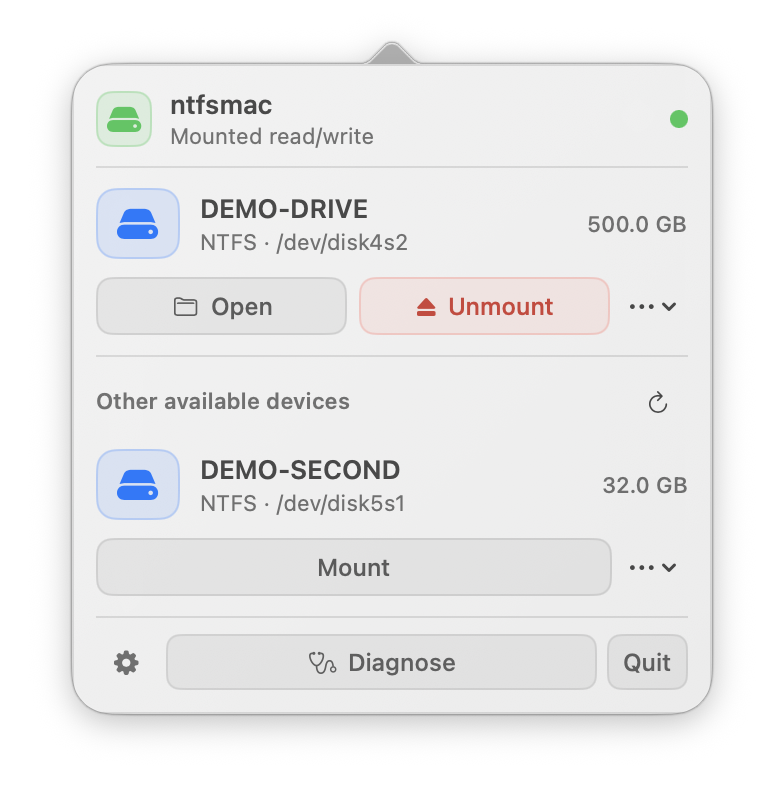
The 3.1 interface
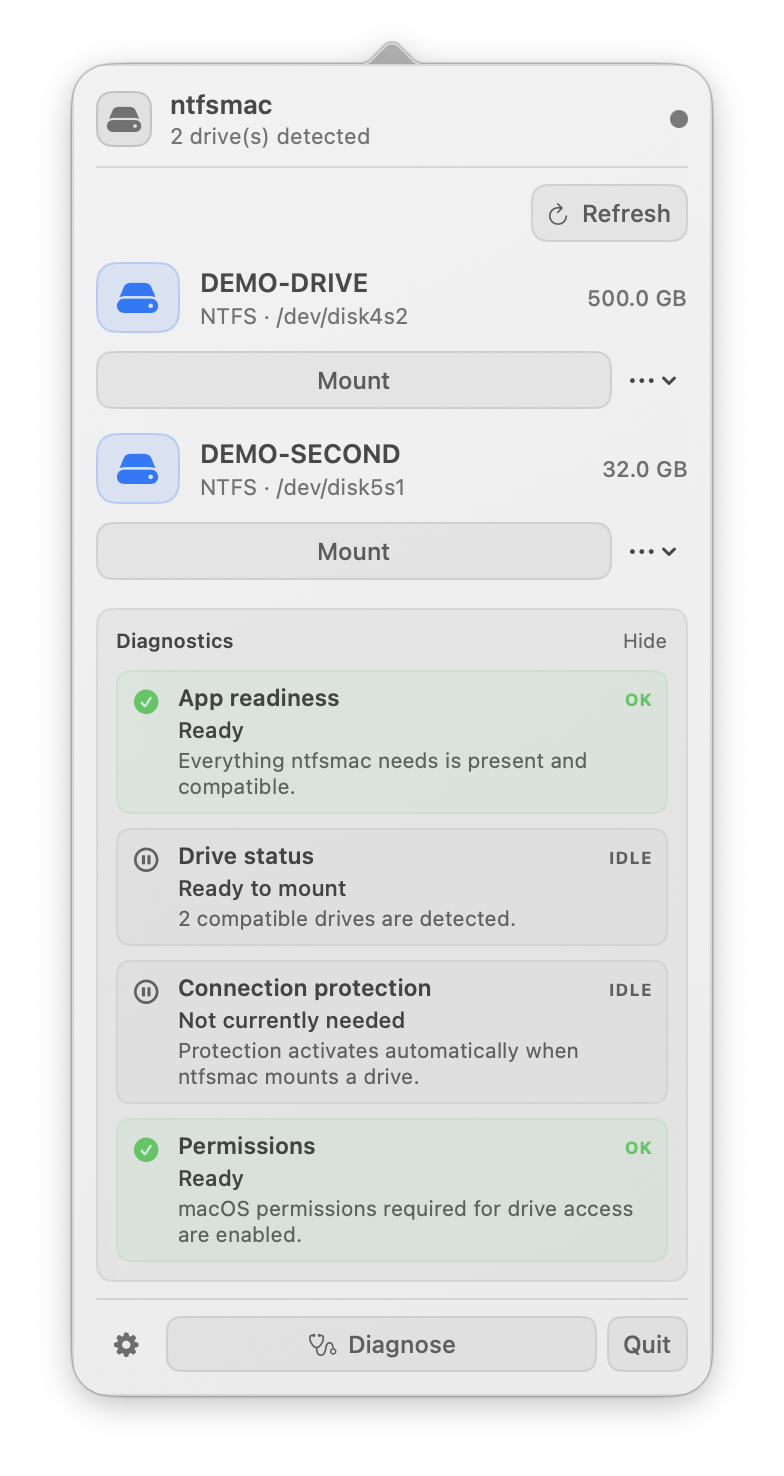
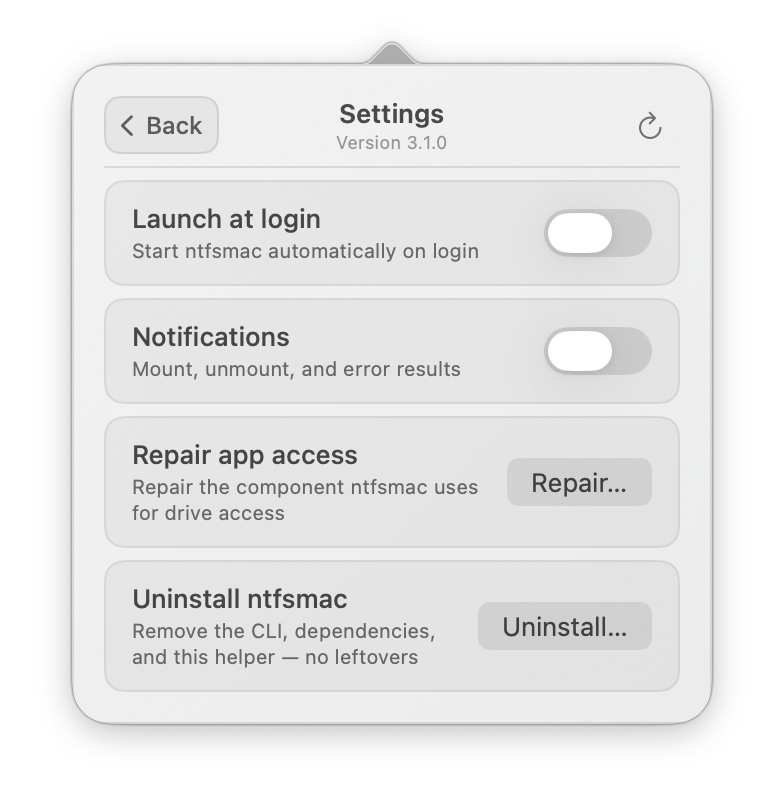
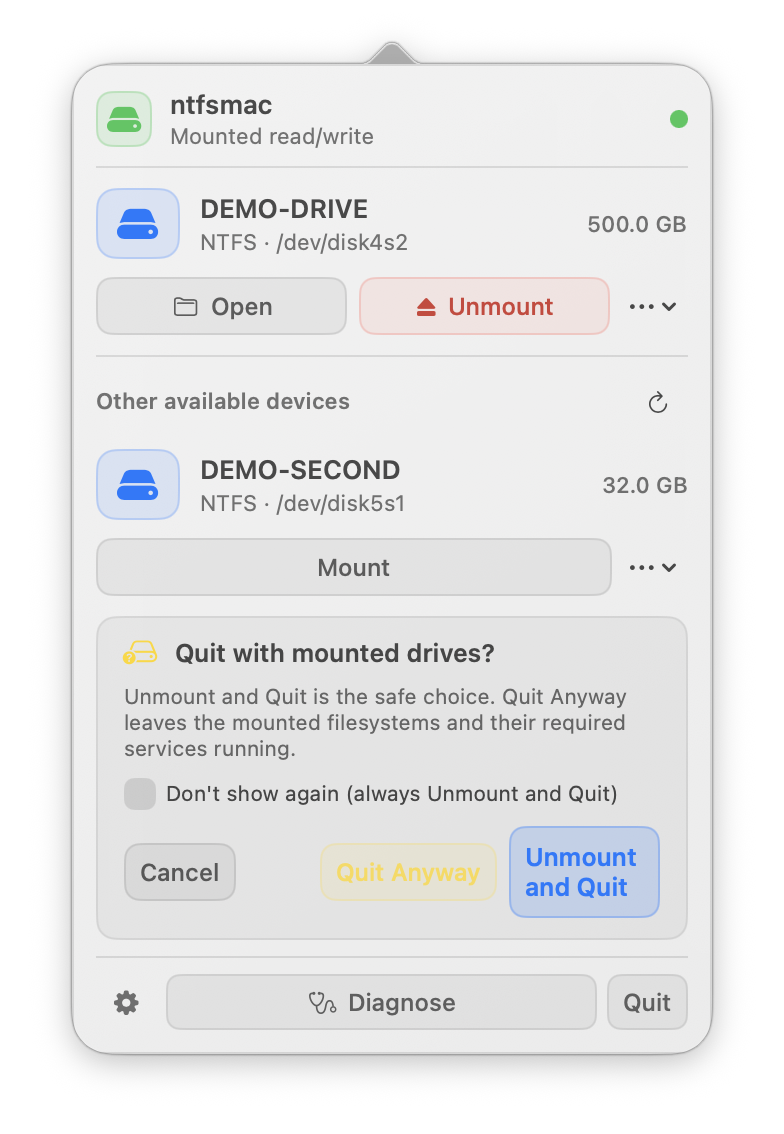
Diagnose groups the real checks into four readable outcomes. Settings keeps navigation, version and update check on one line. When storage is active, Quit makes the safe choice explicit instead of silently leaving services behind.
Installation
Choose the standard DMG for current macOS releases. The separately labelled Legacy DMG remains available for compatibility and installs the same visible ntfsmac app.
Get the latest signed Apple Silicon DMG from GitHub Releases.
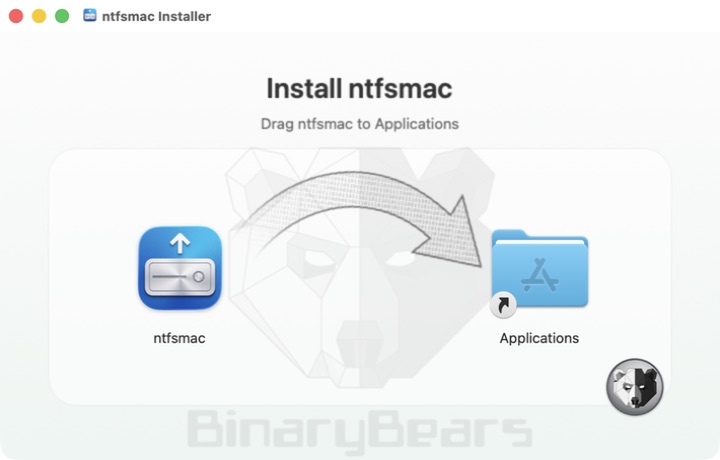
Drag ntfsmac to Applications and open it.
Allow ntfsmac in Login Items and grant Full Disk Access when macOS asks.
Upgrading to the standard 3.1 build verifies its modern helper first, then removes the retired Legacy helper. macOS may ask you to approve access again.
Security & privacy
The app checks GitHub at most once every 24 hours for the latest published release. It never downloads or installs updates on its own. Automatic network errors stay silent and mount operations do not depend on the check.